SCOTT LYERLY

  • Home
  • About
    • Contact
    • Bio
    • My Tourette Syndrome Story
  • Books
    • The Last Line
    • Anthologies
  • Other Writing
    • Short Fiction & Essays
    • Blog
  • Upcoming Events
  • Etcetera
    • Newsletter Sign-up
    • Privacy Policy
  • Facebook
  • Instagram
  • Threads
  • TikTok
  • Bluesky
  • Excel Geeking: Sending A Selection To OneNote With VBA

    March 21st, 2014

    It’s been a little while since I’ve geeked out with some VBA that would be anything worth posting, which means that the routine I wrote today was just that much sweeter.

    I recently discovered Microsoft OneNote. We have it and at work and it is the singularly best kept secret we have. If you have the chance to use this little gem, I recommend it.

    I won’t get all gushy about OneNote here, but you can look it up online. In a nutshell, it is a singular place to keep track of all kinds of things, like notes (duh), to do lists, snippets of things from the web, documents from Word, etc. You can hit Record in a meeting and it will record and save an audio file of the conversation, which you can listen to later to assemble your meeting minutes. You can share notebooks with people across the network or the web–the point is that it’s a great application. It’s a lot like Evernote, if Evernote were fully integrated with MS Office. And OneNote has a great mobile app so you can access your notebooks from your iPhone or iPad.

    Okay, sorry, enough gushing.

    What I really wanted was some method for sending pieces of Excel worksheets to OneNote without a lot of headache. Some method for sending a selection of the worksheet to OneNote with a single command or keystroke. Yes, I know I can highlight the selection, go to File, go to Print, change the settings to Print Selection only, change the printer to OneNote, then click print. That’s a lot of mouse clicks. Five in total, with more if you want to revert back to your normal printer.

    Can’t I just use a button or keystroke to send something to OneNote without all the hullabaloo?

    I can now.

    The routine below is basically nothing more than the automation of all the mouse clicks I mention above. Except they’re tied into a keystroke I’ve created upon opening the workbook. So now, to send something to OneNote, All I need to do is hit Ctrl+Shift+N.

    The main routine is below.


    Sub PushExcelContentToOneNote()
    '*******************************************************************************
    ' Description:  This will take the selected content and print it to OneNote, then
    '               reset the printer back to the original printer prior to the routine.
    '
    ' Author:       Scott Lyerly
    ' Contact:      scott.c.lyerly@gmail.com
    '
    ' Name:                             Date:           Init:   Modification:
    ' PushExcelContentToOneNote V1      21-MAR-2014     SCL     Original development
    '
    ' Arguments:    None
    '
    ' Returns:      None
    '*******************************************************************************
    On Error GoTo ErrHandler

    ‘ Constant declaratios.
    Const sONENOTE_PRINTER      As String = “Send To OneNote 2010 on nul:”

    ‘ Variable declarations.
    Dim sOriginalPrinter        As String

    ‘ Get the original printer first.
    sOriginalPrinter = Application.ActivePrinter

    ‘ Make sure One Note is the active printer.
    Application.ActivePrinter = sONENOTE_PRINTER

    ‘ Print to OneNote
    Selection.PrintOut Copies:=1, Collate:=True, IgnorePrintAreas:=False

    ‘ Reset the original printer.
    Application.ActivePrinter = sOriginalPrinter

    Exit_Clean:

    Exit Sub

    ErrHandler:

    ‘ Since the 1004 error number is too broad, we’ll check the error description instead.
    If InStr(Err.Description, “ActivePrinter”) 0 Then
    MsgBox “Excel cannot find the OneNote printer on your machine.” & _
    vbNewLine & vbNewLine & _
    “Operation cancelled.”, _
    vbOKOnly + vbExclamation, “PRINTER ERROR”
    Else
    MsgBox Err.Number & “: ” & Err.Description, vbCritical, “MICROSOFT ERROR”
    End If

    Resume Exit_Clean

    End Sub


    To set the keystroke, add the following in the ThisWorkbook module.

    Private Sub Workbook_BeforeClose(Cancel As Boolean)
    Application.OnKey "^+n", ""
    End Sub


    Private Sub Workbook_Open()
    Application.OnKey "^+n", "PushExcelContentToOneNote"
    End Sub

    Easy-peasy.

  • Online Personalities And Personas

    March 20th, 2014

    Let’s start this one of with an apology. Apologies go out to my wife today. Let me tell you why. This morning my wife started a conversation that caught me by surprise. She says to me, “I read your blog post last night.”

    There was something in her voice that made me pay attention.

    “Okay,” I ventured.

    “I noticed how you listed cooking and cleaning and a bunch of other things that have kept you busy.”

    “That’s true enough.”

    “People are going to think I’m not doing anything around here,” she said.

    I paused for a minute to think about that. “Huh,” I said. I could totally see her point. The way I stated the things that were keeping me busy, it did sound like I was single-handedly running the house. Which is totally not the case. We’ve both been crazy busy, with work, kids, cooking, cleaning, doctor’s appointments, rehearsals, managing homework, and trying to find a little time for each other and for ourselves. It’s a joint effort here.

    But her words made me realize that what gets written online is sometimes misinterpreted, sometimes misunderstood, and sometimes conscious mis-direction. It reminded me of a conversation I had with a friend about a month ago. We were talking about all manner of things (it had been a while since we’d caught up) and one of the topics we landed on was about online personas.

    We ranged over the friends we have in common online; the one still stuck in the past, but whose posts are as honest as the day is long; the one who posts constant updates about everything; the political one; the one who’s always trying to win the internet; the snarky one; the one who can’t quite get the hang of how the whole works (like that esurance commercial); the one who only posts funny pictures; the confessor; the professor. The list goes on and on. There’s a personality out there for each and every type of person posting on social media. Odds are you know someone like the few I mentioned above or are one yourself. (I tend to go back and forth between the one who posts pictures and the snarky one.)

    It’s made me wonder what is the true purpose of social media? Is it to socialize online? Is it to promote yourself in some way, as if your were your only brand? Is it to constantly remind us that just about any meme that features the Dos Equis guy is hilarious?

    I started to think down the road of self-promotion. About how people brag about themselves online, even if they’re trying not to. There’s even a word for it now: humblebrag.

    I don’t think it’s a big secret that people brag about themselves online. We all do it. Hell, one of the reasons I started blogging in earnest was to be able to promote my self-published fiction. And the big question that seems to be getting asked now is, how much is too much? There are all kinds of article on the topic. Want some? Here are a smattering:
    http://www.upstart.net.au/2013/10/30/self-promotion-through-social-media/
    http://news.cnet.com/8301-1023_3-57583450-93/social-media-self-promotion-the-urge-the-ick-the-outcome/
    http://socialmediatoday.com/curtis-harrison/1596496/it-s-social-media-not-me-media
    http://adage.com/article/small-agency-diary/social-media-s-potential-drowning-promotion/233776/

    I remember hearing a story about one media reporter saying her friends would tell “your life seems so great!” to which she replied, “that’s because you only see the good stuff, cause that’s all I post.”

    I was preparing an argument as to why this phenomenon is bad, why people who only present one side of themselves drive me nuts and are probably fooling themselves. It’s not that I want people to air all their dirty laundry in public, but do we really believe that, even in our kvetching, we’re all having a grand old time?

    But then I stopped to wonder: is self-promotion one of the ways we social with people? And if so, is it so bad a thing? If you’re out for drinks with a friend, the conversation is going to wander through all kinds of avenues. You’re gonna flash back to twenty years ago, you’re gonna brag about something you did or accomplished or that your kids did, you might talk (yell) about politics, you’re gonna talk about the mindless day to day shit. Because all of these things are a part of who we are as humans. We’re social animals and all of these things are things that we do and need to do to keep from losing our marbles.

    The articles above talk about the various reasons why we do it, but mostly it boils down to trying to find a way to stand out in an increasingly loud, visually-overloaded world. Andy Warhol promised us fifteen minutes of fame in the future. Social media seems to be how we’ll get it.

    There are lots of people out there bragging about themselves, building a brand, trying to be seen and get heard. Can’t lie, I’m one of them. I want people to buy my book, I want people to read it, I want people to enjoy it and have conversations with me about it. I guess that means I want to become my own brand. Maybe.

  • Short Short Short (Did I Mention Short) Fiction: Twitter Style

    March 13th, 2014

    A writing festival started this week in NYC. It’s called Twitter Fiction Festival and it’s got a gathering of writers presenting their stories in microburst style. And not shlub writers. We’re talking names like RL Stine and Alexander McCall Smith.

    I love this idea. I think the primary reason I love it is because I get a feeling of completion with every fiction tweet I make. The craft of writing is a tough one and when you’re putting together a large novel with a large cast of characters, multiple sub plots, and moving timelines, you can get quickly swamped by the intricacies and lose the enjoyment of writing. With such short fiction as fits in 140 characters, you craft by way of interference the beginning, middle, and end. Something in there is going to be concrete. The rest is implied and up to the readers mind to fill in with details.

    The other reason I love it is because it fills a creative need at a time when I don’t have a lot of free time right now. I’m prepping part four of How It Ends for release, and editing the crime novel I finished, and there’s always a ton of things to do at home and at work. So the idea of jamming out a “full” story in 140 characters is appealing and refreshing. And tough. After all, with such a short amount of space, you have to make every word, every punctuation mark count.

    I’ve been throwing out 140 character stories for the last two days. I’ve decided to gather them on this blog, under one roof as it were. There’s a new page in the blog starting today which contains all if my Twitter fiction to date. There’ll be periodic updates as I continue to write in 140 character spurts. For now, please enjoy the current crop. Leave some feedback if you’d like, which ones you liked, which you didn’t, what works and what doesn’t and why. I’d love I hear from you.

  • Coffee. Nuf Said

    March 6th, 2014

    Okay, maybe not quite. But I couldn’t think of a better title for this post, so there it is. And let’s be honest, sometimes it is enough. Sometimes the only word that we can get out in the morning is “coffee”.

    But I digress. Shocking, I know.

    There was a article floating around Facebook recently about how the Keurig k-cups might actually be bad for you. I shared it and proceeded to freak out a couple of friends and my wife. The short version: the hot water hits the plastic cups and may cause chemicals in the plastic to bleed into the water that hits the grounds that goes into the mug that goes into your mouth that goes…you get the idea.

    And naturally, when the chemicals in plastic go into your body, badness ensues.

    Whether or not this had any merit of truth to it is irrelevant. The idea is out there and can’t be taken back. Can’t unring the bell.

    So what to do? Well, Keurig, and a couple of other companies no doubt, make an insert that you can substitute for the k-cups. Ostensibly, this is so you can use your own favored brand of coffee that hasn’t put out a k-cup version yet, but let’s be honest, who hasn’t put one out by now?

    Okay, so we bought the insert. Here’s what it looks like:

    20140306-202125.jpg

    It’s basically three pieces: a mesh filter that goes inside another two piece insert that fits into the brewer.

    How well does it work? Pretty well, actually. You fill up the mesh filter with grounds. (I’ll clarify here and say “fresh unused grounds”, which you wouldn’t think I’d need to do, but you never know.) The filter accommodates two levels, one tablespoon or two tablespoons. This obviously goes to your personal preference. Do you like your coffee to resemble coffee, or do you like the stirring spoon to stand up straight in the coffee without you having to hold it? Put the filter in the insert bottom, twist on the insert top, insert the inset into the brewer, and off you go.

    What are the drawbacks? Well, after each brew, you have to take the mesh filter out and clean it. You can’t just chuck it it the trash like you would with the k-cups. It doesn’t take long to do, under a minute, but it’s a little bit of extra time. And you can’t clean it immediate after brewing cause that sucker’s hot. The best bet might be to have two inserts so you can always have one ready to go when the other is done and cooling off before cleaning. This is an especially good idea in households where coffee consumption is measured in gallons. Like mine.

    The other drawback (but maybe not) is that you might have leftover k-cups to deal with. Not a huge deal. You can simply slice open the top and use the grounds inside.

    20140306-203213.jpg

    An interesting discovery in doing this is that the amount of grounds in a k-cup is more than the mesh filter will comfortably hold. So, balancing out the drawback of slicing open your old k-cups is the fact that you’re likely to end up with more brew-able mugs than you would have gotten otherwise.

    Speaking of which, I think it’s time for a mug of decaf.

  • Review: “Fat Chance” by Robert Lustig

    March 5th, 2014

    fat chance

    I came by this book via NPR. I heard the author describing the effects of sugar and heard the title of his book, and decided I needed to know more. That is how I came by one of the scariest books I’ve ever read. Robert Lustig describes sugar as a poison, and by all accounts, including his, he’s right. I’ve been mainlining poison all these years!

    Before we get into the book itself, let’s start with some background. Who is Robert Lustig, and how did this book come to be?

    Right from his profile on the UCSF website, “Robert H. Lustig, M.D. is Professor of Pediatrics in the Division of Endocrinology at University of California, San Francisco, and Director of the Weight Assessment for Teen and Child Health (WATCH) Program at UCSF.”

    So what, you might say. What does that have to do with this book? The answer is actually pretty easy. What Lustig discovered from all his years in medicine is that there is one element that rises above all others as the primary driver of all the metabolic issues and diseases (collectively referred to as “metabolic syndrome”) facing consumers of food (i.e., every human on the planet): sugar.

    Things really got rolling with a YouTube video of Lustig giving a presentation to an audience regarding the dangers of sugar. Entitled “Sugar: The Bitter Truth“, Lustig spends nearly ninety minutes taking the audience through the ins and outs of sugar, focusing on fructose. This is not a lighthearted journey. He goes into the statistics behind what Americans are consuming today versus what they were consuming at the turn of the twentieth century; how glucose, alcohol, and fructose are metabolized in meticulous, borderline mindbogglingly biochemistry detail; and how we got to where we are. First posted to YouTube in 2009, it’s been viewed an whopping 4.4 million times.

    This presentation eventually morphed into the book “Fat Chance“, which was released last year, and which has been released in paperback to coincide with the release of a “Fat Chance Cookbook“. The presentation, and the book as well, are almost story-like in their presentation, at least as much as a medical-laden book and presentation can be. And as any writer will tell you, a good story needs a good villain. For Lustig, that villain is sugar. Fructose to be exact. A villain so diabolical, he refers to it as every evil storybook villain you can think of, from the Darth Vader of food to the Voldemort of food. Or, perhaps more telling, he refers to sugar as a poison.

    Okay, so that’s the background. How about the book itself?

    It’s hard to review a book like this because it operates on a couple of different levels. From a pure readability standpoint, the book often times gets bogged down in its own technical terminology and descriptions. There was more biochemistry in this thing than in Dr. Torrence’s junior year chem class (in which I SCRAPED by with a D). There are so many terms that eventually I stopped trying to remember them all and simply take for granted that someone with a hefty amount of scientific background proofed the book prior to publication.

    As far as narrative voice goes, Lustig’s voice is fairly unique when it isn’t drowning in terminology. He’s a firebrand, preaching from the pulpit of a man who has seen it all and been there. He is not afraid to call out a naked emperor, and it’s not unusual for him to repeat the refrain “We’re screwed”. In one very notable passage, he describes us all as “fructed”. The majority of his chapters open with a brief vignette of a patient case he has dealt with, and more than a few are heartbreaking. There is a force of passion behind his message, one that is not easily ignored nor argued. He is a pediatric endocrinologist, after all, and he knows his shit cold.

    This, then, is where the book really shines. Amidst the preaching of the author, and the technical jargon that will make your head spin, is the long litany of facts, stats, and studies that are at the heart of this book. He makes a point early on saying that every point he makes in the book is based on scientific fact, the sources of which are contained in a notes section at the end of the book. Without these to support his argument, Lustig would likely be seen as an extremist, a fringe-scientist shouting at the masses and not being heard. Because the villain here, again, is sugar, not fat as most diets vilify. And not just the high fructose corn syrup sugar that everyone was up in arms about a few years ago. This is ALL sugar.

    Back in the late seventies/early eighties, the low-fat movement began. Want to control heart disease? Decrease your fat intake and that will help lower you bad cholesterol (LDL). The food industry moved in this direction, lowering the yummy, tasty fat, and ended up with a bunch of bland, boring foods that needed a zing. Enter sugar. At a time when corn crops were subsidized, whether the crop was a boom or a bust, and the price of a newly derived sweetener called high fructose corn syrup sank to incredibly cheap levels, it became easy for the food industry to beef up the flavor using this form of sugar.

    But it didn’t help, did it? No. Because the population has grown more obese. So we instead turned to diets and exercise. Denis Leary laughing described us as gerbils as we continually climbed stairs on the StairMaster. “Where are you going?” “I’m going up!” But even that didn’t help. Why? Because the human body metabolizes different parts of food in different ways. In the heavy biochem part of his YouTube video, Lustig demonstrates that glucose, alcohol, and fructose metabolize differently. And even though he starts off with 120 calories of each, it’s not 120 calories that are absorbed by the body. So you can’t burn 120 calories in exercise and assume that you’ve got a net effect. It just doesn’t work that way. Because (and this is also a constant refrain in the book), “a calorie is not just a calorie.”

    Both the book and the video are eye-opening, and if the book comes off medical-heavy and overly didactic, well that’s really the point. It’s not meant to be a touchy-feely self-help volume about how “You Can Do It If You Just Try Hard Enough”. No, the book argues, you can’t. The odds are stacked against you. The politics of food processing are enormous here, and to make a top-down change is certainly not likely to happen.

    Is it all doom and gloom? Did I spend a week reading a book that scientifically demonstrates the problem but fails to provide a solution. Not at all. While the book spends more time on the problem than the solution, the solution does indeed exist in fiber an exercise. But I won’t go into the details here because you should dive into this book yourself. It’s eye-opening in a way I didn’t think possible. Ever wondered why you feel down after a sugarfest, hungry after a huge sweet and sour infused Chinese meal, or why you Just. Can’t. Escape. Donuts, especially when your stressed? Then this book is for you. You will never look at food, food labels, and ingredient lists the same way again. And trust me, that’s a good thing.

  • Let The Editing Begin!

    March 2nd, 2014

    About five and a half weeks ago I finished the first draft of a hard-boiled detective novel.

    Today, the editing has commenced!

    20140302-084011.jpg

  • The Maffetone Method – 5 Months In

    February 28th, 2014

    Okay, I realize the month’s not over yet, as it is still the last day of February. But I can give you my solemn word that I will not be going for a run between now and midnight tonight, so I think the data is safe to review.

    So how did February go? I guess if sum it up by calling it a mixed bag.

    Let’s start with the graphics:

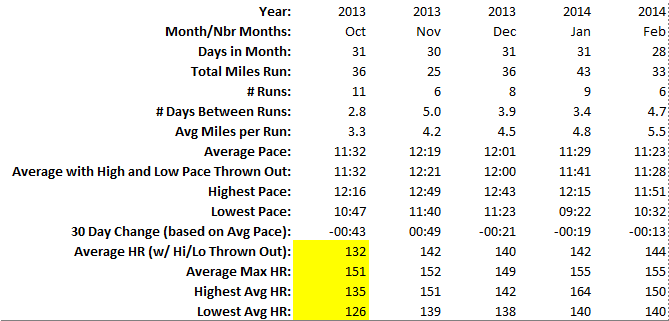
    running month 5

    maffetone_avg_month5

    By the list of stats, you can see that I dropped another thirteen seconds off my pace time. Which is great. That’s the whole idea. Keep running slow and eventually the pace comes down to meet your heart rate without your heart rate having to rise to the occasion. Except my heart rate did rise a little bit, on average. More on that in a minute.

    The runs themselves were really good through the first half of the month. I ran my first long run in a while, getting out for a good 8 miles on a Sunday morning. I realize 8 miles is not a long run to a lot of “serious” runners, but for me, it was. I hadn’t run a good long distance run since late last summer, and even when I was getting out more regularly, my longest run ever was 12 miles. Since my goal is to run a half marathon in June, I got start cranking up the mileage to make sure I’ll cross the finish line, rather than be carried over it.

    So through the first two weeks of Feb, I was feeling good, running 5 to 6 miles without a care in the world. And then it snowed. And not just snowed, because that’s already happened plenty this winter. No, I mean Snowed with a capital S. In the third week in February we saw four snowstorms over an eight day period. I mean, honest to god, really? That threw a huge monkey in the wrench in terms of aerobic base training. One of Maffetone’s primary recommendations is to train slowly all winter long so that you can race in the spring and summer. Do your aerobic training in winter so your spring/summer racing can serve as your anaerobic training. ‘Cept how do you train during the winter when winter won’t let you?

    This is where the treadmill at the local gym should have come in. Shoulda woulda coulda. I should have altered my morning routine to go run on the treadmill to keep the training going. But I hate treadmills. They bore me to tears. Guess I wasn’t all that committed after all.

    On top of the Snow with a capital S, it’s been cold. Damn cold. Like, Cormac McCarthy’s The Road kinda cold.

    So the last two weeks of February saw just two runs for a total of 8 miles. Pretty anemic. But winter was only half the problem I ran into. (Get it? “Ran” into? Never mind…)

    My heart rate monitor has been acting fairly wonky lately. I work in IT and I can tell you that “wonky” is a very technical term. Basically, it would give me strange readings as I ran, usually only for a moment, and return to normal. For example, I looked down at it as I leveled out on one particular street during a morning run. I watched it go from 137 to 213 then back down to 137. Whiskey tango foxtrot. And the monitor doesn’t know enough to think “hmm, that’s strange, maybe that’s a blip we should throw out.” When the run is over and I check the average heart rate and max rate, sure enough, the max reads 213. That does me no good. I have to spend the rest of the run closely monitoring the readings and estimating from what I saw what I think the max heart rate was. God only knows what this is doing to the average. The primary concern I have with this is, how do I know any of the readings have ever been right? I’ve replaced the batteries, but it still happens here and there. I really want to get a new monitor, but the
    Magellan Echo is still a little out of my price range.

    Also on the subject of heart rate, I feel like I’ve lost my feel for pace. The last three runs I’ve run, my average heart rate has been 144. I can usually keep it to 141, 142. My pace for the first two of these runs saw my pace lower that the monthly average by 15 seconds. I thought maybe I was losing conditioning. The last of these three runs I watched my heart rate climb up into that 144 arena. “Here we go again,” I thought. So I (stupidly) cute my run short out of frustration. Three miles and done. I looked at the pace for that run and found I had run it 10 seconds under the average for February. I could have, and would have, sworn I was running a pace like the first two. So I feel I’ve lost my feeling for pace, which is a little bothersome. And to bring in my other issue, how much of this due to a strangely functioning heart rate monitor versus simply losing my feeling for pace. No earthly idea.

    So that’s how month five went. I figure winter has to clear out of here at some point. There’s a 10k north of me that happens at the end of April that thinking about. It would be a nice way to get into a racing frame of mind for the June half marathon. But first, I should probably get through March.

  • Excel Geeking: My Picks For Getting Started With Programming Excel

    February 26th, 2014

    I’ve fielded this question a couple of times, so I thought I’d give to formal list here. These are the books I’ve used (and continue to) to get started with VBA/Excel programming (among other things). I also list the sites I visit regularly when I feel like expanding my Excel/VBA knowledge.

    BOOKS

    power programming

    Excel 2010 Power Programming with VBA, by John Walkenbach – After I finished poking around Google trying to find the answers to my questions, I decided it was time to get serious and get some structured learning. This was the first book I bought, and remains one of the two I refer to the most.

    ped

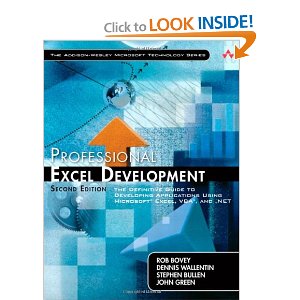
    Professional Excel Development, by Bullen, Bovey, and Green – This is the other book I hit on a regular basis. I never fail to learn something when I go to it (usually something I’ve learned before and had simply forgotten). But take note: this puppy is NOT for beginners. It’s barely for the intermediate programmers. There is a gold mine of information in there, but you really need to know what you’re doing in VBA to digest some of the content. But if you’re ready for it, you can’t do better.

    excel prog ref

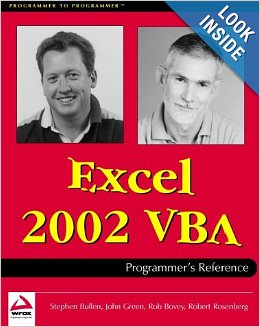
    Excel 2002 VBA Programmers Reference, by Bovey and Rosenberg – This one’s an old one, and has probably been updated since I bought it. But this is the one I’ve got. It has some nice stuff on connecting Excel to Access using both ADO and DAO, including how to connect to Excel as a data source with ADO, which I’ve referenced quite a bit.

    prog excel

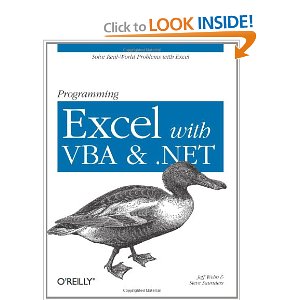
    Programming Excel with VBA and .NET, by Webb and Saunders – I like this one because it’s essentially a paper version of the Excel object model, but instead of being just a straight list of objects, properties, and methods, it gives some textual description of said objects, properties, and methods, and usually gives some nice short code examples of how to use them.

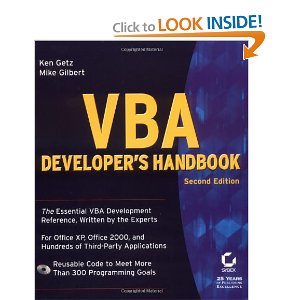
    vba dev hnbk

    VBA Developer’s Handbook, 2nd Edition, by Getz and Gilbert – This one goes DEEP. Mike is Product Manager with Microsoft’s Developer Tools division, specializing in VBA. He knows this stuff inside out and upside down. The result is some incredibly deep knowledge that can be very useful, but can also go over your head. But it contains things you won’t find in a lot of places. You want to program media files? This is the book. Harness the information about your monitor? It’s in there. Build custom data structures? Yup. It’s all in there. But this this level of programming is pretty complicated, so tread carefully.

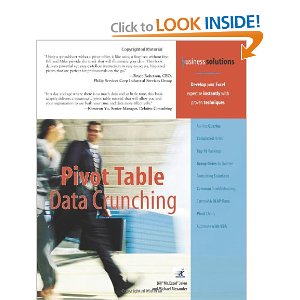
    pvt tbl

    Pivot Table Data Crunching, by Jelen and Alexander – I love this one. It’s a compact book for a computer book (only 288 pages), but it gives so much great info on pivot tables. And not just pivot tables from a user interface perspective, but also includes how to program them with VBA.

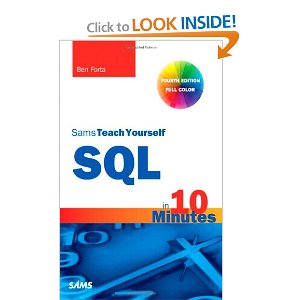
    sql

    Sams Teach Yourself SQL in 10 Minutes, by Ben Forta – This one isn’t a VBA book (as you can clearly see by the name). This one is a great, slim little gem that gives you the basics of how to program SQL. Syntax is everything. And since there will come a point where you have to hook an Excel sheet up to and Access database (don’t shake your head at me, I’m telling you, it WILL happen), this gives you the fundamentals you need to keep from screwing up the syntax.

    WEBSITES

    Really there are only three sites I hit up on a regular basis.

    Daily Dose Of Excel – Dick has been blogging about Excel for at least ten years. He’s got an easy conversational style that’s fun to read and easy to digest. I landed on this site a number of times while searching for VBA solutions I couldn’t figure out on my own. There’s one thing about Dick’s site that makes it unique: it’s the site at which everybody gathers to talk about Excel and VBA. Daily Dose of Excel is not always updated in a timely manner, with sometimes a month between entries (Dick, like most of the rest of us, has a day job), and it’s not like the content is organized into neat categories with each topic covered and cataloged. You can navigate the categories dropdown list in the blog’s sidebar, but don’t expect a page listing all of the topics in an index-like fashion. And yet, every Big Name Excel Personality flocks to it. I don’t know why, but there it is. Daily Dose Of Excel is the Cheers of Excel blogs, and Dick is Sam “Mayday” Malone.

    Contextures – This is Deb Dalgleish’s site. It is loaded with content, updated nearly every day. Deb also includes a weekly round up of other Excel related items she’s found on other sites throughout the week. Her content is categorized, with each category giving you examples and tips and tricks and sometimes even quirks to watch out for. To give you an example, I had a column in a sheet two days ago with broken data validation. You could type any old thing in the cells when you should have been limited to a specific list. I figured there had to be a way to fix it. I remembered Deb had a ton of content on data validation on her site, so I went digging. Sure enough, I found what I was looking for and fixed it. But if that’s not enough to convince you, let me add that Deb might have the largest collection of multimedia, primarily videos demonstrating how to implement some of the content she covers, of any Excel site I’ve ever seen.

    Pearson Software Consulting – Chip Pearson’s site is a fantastic collection of explanations on all kinds on Excel and VBA topics. But what really makes the content pop is that Chip usually adds custom routines the make your programming easier. For example, you might need to do some work with Names in Excel. Chip walks through the aspects of to code with Names, and then puts the things he’s just discussed together into prepackaged functions that you can call to make your programming life easier. I’ve used his site as a reference point for years.

    So that’s it. Those are my recommendations. Have fun.

    http://www.youtube.com/watch?v=7KtAgAMzaeg

  • Pictures? We Don’t Need No Stinkin Pictures!

    February 25th, 2014

    I’ve seen a couple of articles recently about the next generation’a digital presence. Some are best practices, some are just downright alarmist. Take this article from Slate, which feels like it’s verging on paranoid. “Facial recognition”, “corporate data mining”, these things are described in an almost Orwellian manner.

    Maybe I’m being naive about Facebook and how the pictures I upload will be used in the future. Perhaps the Peoples Republic of Facebook is only a few years away. But I doubt it. The fact is, I like sharing pictures of my kids on Facebook so my friends can see them. Posting pictures to Facebook has become the digital replacement for the proud father pulling out his wallet to show you his little girl in her ballet costume. I’ve been loading pictures onto Facebook for years. Yes, my girls will probably moan and groan when they are old enough that I can share photos with their boyfriends. Again we see the digital replacement for going through old photo albums.

    However, I’m not so naive to think posting pictures here there and everywhere is a good or safe thing. Because it is not. I share my pictures on Facebook where my friends can see them, and on Instagram, because my account is private and you need my permission to see my content. Where do I not share my pictures? Twitter, Tumblr, and this blog.

    I can’t control who views this blog. I could technically make my user account on Twitter private, but that kind of negates the fun of Twitter. But this blog is open for anyone to read. And, like Twitter, that’s the fun of blogging. Creating an online space where you can record your thoughts, feelings, activities, likes and dislikes, all free and open for the entire online world to view.

    With my content available to all the world, why would I want to post pictures of my kids?

    Cause let’s face it: there are whackos out there. The odds of one lone whacko stumbling across pictures of my kids and seeking them out are probably the equivalent of being struck by lightning while being eaten by a shark all the while holding the winning Powerball ticket. And this scenario (the whacko one, not the lightning/shark/Powerball one) is definitely worst case scenario kind of stuff. But it still gives me a measure of comfort knowing I’m keeping people I don’t know from viewing my kids. I have friends who post pictures of their kids on Twitter and I cringe every time. But that’s my gut reaction. Yours might be different.

    Nobody really knows what’s going to happen when the current youth generation comes of age in a socially media driven world. Facebook is only ten years old. What happens when my kids hit the age of consent for social media sites and sign up and see they’ve already been all over the site for ten or fifteen years? Nobody really knows. In the interim, I’ll keep sharing pictures with friends and keeping them away from strangers. My hope is that this will both keep them safe while I share their fun moments, and keep me from being a digitally helicoptering parent.

  • Excel Geeking: Finding Out If A Range Intersects With PivotCache Source Date

    February 19th, 2014

    As I was developing a utility to help clean up text for a co-worker, I ran into a error I have been since unable to replicate. Basically I could not get the native Find/Replace function in Excel to actually find and replace items if the range being modified was part of the source data for a pivot table.

    So I embarked on a quest to determine if a selected range intersects with a pivot table’s data source, which is otherwise know as a pivot cache.

    This should have been a lot simpler than it was. The primary issue is that, while you can read the SourceData property for a pivot cache into a variable, the property returns a string. Which means parsing the string, breaking it into its two parts (the worksheet name and the range address), converting the range address from R1C1 to A1 (since the SourceData property spits out as a R1C1 format), then setting the range variables and seeing if they intersect. Feels like a lot of work just to see if two ranges interset, but there it is. If there’s a better way to do it, I’m all ears.

    The final routine is below. It’s set up as a sub, but with a couple of easy modifications it could (and probably should) be converted to a function returning a boolean. But I’ll leave that for you to do. Why should I have all the fun?

    Here it is:

    Private Sub DoesPivotCacheIntersect()
    ‘ Description:  This iterates through all the pivot caches in a workbook
    ‘               and determines whether the selected range intersects with them.

    ‘ Variable declarations.
    Dim wb As Workbook
    Dim sh As Worksheet
    Dim pvtCache As PivotCache
    Dim rSelection As Range
    Dim rPivotData As Range
    Dim lCnt As Long
    Dim sPvtCache As String
    Dim sShName As String
    Dim sRngName As String

    ‘ Start by setting one range variable to our selection.
    Set rSelection = Selection
    ‘ Also set the wb to the active workbook on which we’re using the utility.
    Set wb = ActiveWorkbook

    ‘ Iterate through all the pivot caches in the workbook.
    For Each pvtCache In wb.PivotCaches

    ‘ Set the string variable to the SourceData property value.
    sPvtCache = pvtCache.SourceData

    ‘ We need to parse the source data to separate the sheet name from
    ‘ the range name. We’ll parse backwards, since a sheet name can contain
    ‘ and exclamation point, and an R1C1 range string cannot.
    For lCnt = Len(sPvtCache) To 1 Step -1
    If Mid(sPvtCache, lCnt, 1) = “!” Then
    sShName = Left(sPvtCache, lCnt – 1)
    sRngName = Right(sPvtCache, Len(sPvtCache) – lCnt)
    Exit For
    End If
    Next lCnt

    ‘ If the sheet name is bracketed by apostrophes,
    ‘ then we need to trim them or else we’ll get an error
    ‘ we we try to set the range variable.
    If Left(sShName, 1) = “‘” And Right(sShName, 1) = “‘” Then
    sShName = Left(sShName, Len(sShName) – 1)
    sShName = Right(sShName, Len(sShName) – 1)
    End If

    ‘ We need to convert the R1C1 range that we get from the SourceData property.
    ‘ To do this, we’ll use ConvertFormula.
    ‘ We need to add an equal sign to make ConvertFormula think we are dealing
    ‘ with an actual formula.
    sRngName = Application.ConvertFormula(“=” & sRngName, xlR1C1, xlA1)
    ‘ Once we’ve converted the range string to A1, we remove the equal sign.
    sRngName = Replace(sRngName, “=”, “”)

    ‘ Finally, after much ado, set the range variable
    Set rPivotData = wb.Worksheets(sShName).Range(sRngName)

    ‘ Now let’s see if we have an intersection.
    If Not Intersect(rSelection, rPivotData) Is Nothing Then
    MsgBox “Your selection intersects with a pivot cache in the active workbook.”, vbOKOnly
    End If

    Next pvtCache

    End Sub

←Previous Page
1 … 31 32 33 34 35 … 41
Next Page→

Create a website or blog at WordPress.com


Loading Comments...
 

    • Subscribe Subscribed
      • Scott Lyerly
      • Join 200 other subscribers
      • Already have a WordPress.com account? Log in now.
      • Scott Lyerly
      • Subscribe Subscribed
      • Sign up
      • Log in
      • Report this content
      • View site in Reader
      • Manage subscriptions
      • Collapse this bar