Skip to content

SCOTT LYERLY

  • Home
  • About
    • Contact
    • Bio
    • My Tourette Syndrome Story
  • Books
    • The Last Line
    • Anthologies
  • Other Writing
    • Short Fiction & Essays
    • Blog
  • Upcoming Events
  • Etcetera
    • Newsletter Sign-up
    • Privacy Policy
  • Facebook
  • Instagram
  • Threads
  • TikTok
  • Bluesky
  • Not Trying To Slack Off, I Swear

    December 15th, 2013

    Just because I haven’t posted in a few days, I certainly don’t want anybody to think I’m slacking off in the writing department. Not the case at all. In fact, between this blog and my own fiction, I’ve written more and more consistently for the last two months than I have for the last forty years.

    But as the holidays approach, I find that making time is getting harder and harder. There’s just so much going on. Parties, prep, decorations, and all the other crap that you’d normally associate with preparing for a visit from that Germanic folklore character St Nick. Not least of which is keeping two girls, especially the younger one, from losing their minds with excitement before the day actually gets here.

    In addition to the long holiday lead-in, I’m moving pretty well through the book I’m working on writing now. I’m about 45k words in, and at the rate I’m moving, I hope to wrap up the first draft by mid January. Once it’s finished I’ll let it simmer for a bit, then edit the bejesus out of it to have it ready for summer. It’s hard boiled detective fiction, perfect beach reading. But it’s starting to require more and more of my time as I near completion.

    That said, I’ve been trying to be diligent and writing something here every day. I feel like the three people who read this blog deserve fresh content as often as I can. (Okay, more than three. At least five.)

    I guess that’s what I’m saying. I’m writing posts as often as I can. But it might be a day or two even between posts sometimes. I’m apologizing for this now. But if you agree to be flexible in your expectations, then I agree to keep writing and trying to keep the quality high in order to meet those expectations.

    Deal?

  • The Scary Effin Capitalism On The Shelf

    December 12th, 2013

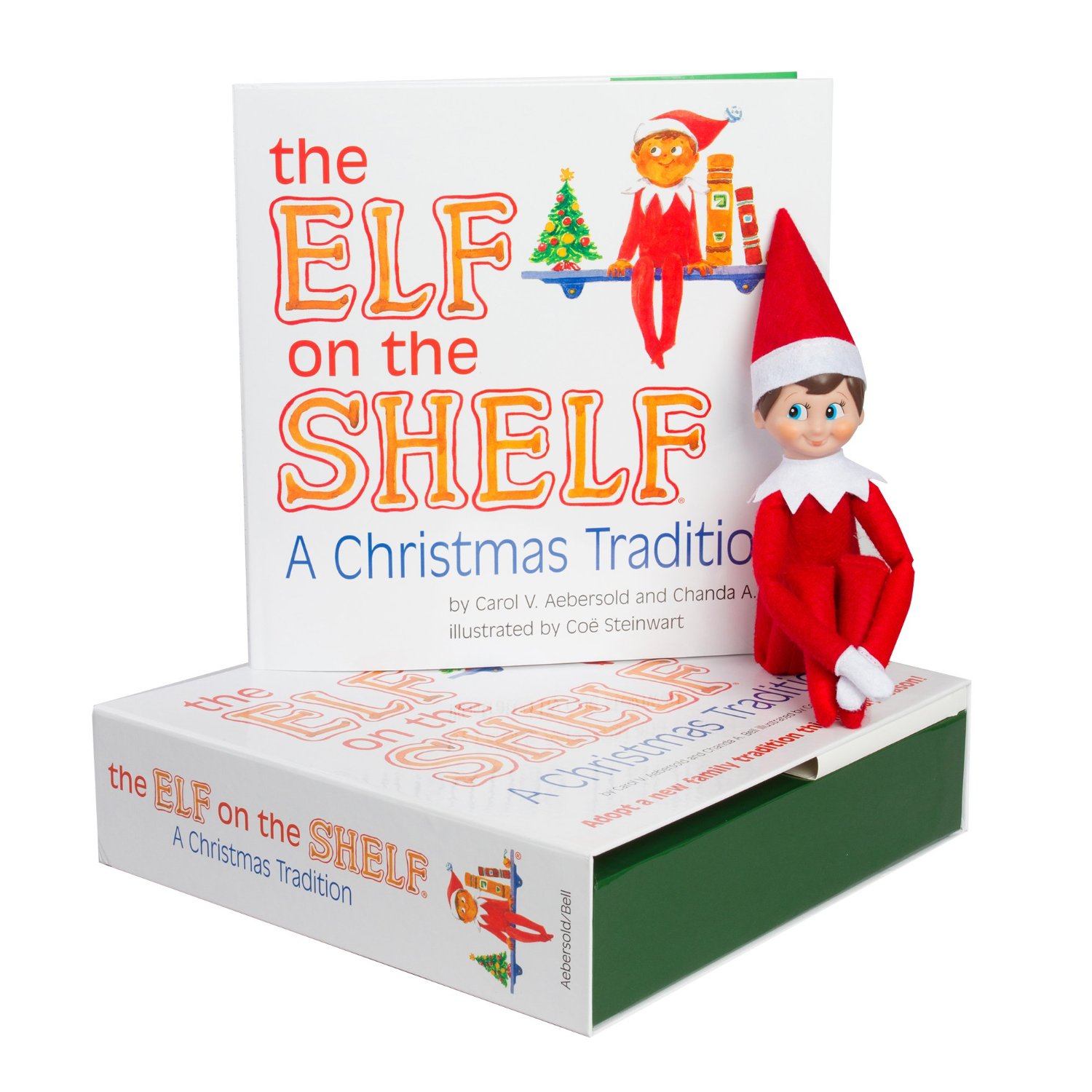
    elf

    I was having a discussion with a coworker today about the Elf On The Shelf. I hate that thing. Seriously. Hate. It. And let me tell you why.

    First, let’s start with some history. The Elf On The Shelf is based on a book that was written by Carol Aebersold and Chanda Bell, a mother and her daughter. Back in 2004, if Wikipedia is to be believed, it was conceived by mother and daughter over a cup of coffee to provide a backstory for their own holiday tradition. Apparently they had their own version of the Elf On The Shelf that “moved” around and reported back to Santa the goings-on of the children in the house. Once the book was published, the toy was introduced as an additional product, followed by a TV special, etc, etc.

    There are two reasons I loathe this thing.

    The first is ideological. I find the idea of a “purchased” folk tale character incredibly crass. Here we have capitalism at its most noisome. You can walk into any Target or Toys R Us in America and buy the elf for $30. What do you get for your $30? Along with the book, you buy a fairy tale creature that magically comes to life the moment the cellophane comes off. Suddenly the elf is watching you and flying home to Santa nightly to report your foibles. This “magic” has been introduced to countless children who delight at the idea that they might have some sort of direct line to Santa. Never mind the obvious questions that children are too young to conceptualize. Questions like: how does the elf end up in the cellophane in the first place? What’s he living off of while under wraps? What happens to the leftover elves that stores don’t sell? A fairy glue factory? And of course, the incredibly cynical side of me is asking darker questions like: does Santa get a cut of the profits of each elfin sale? With each transaction, given that Santa is selling his own factory workers, is he the single largest and most egregious plantation owner of all time?

    The second reason I don’t like this thing is cause it’s Just. Frickin. Scary. Hey, look kids, here’s a little creature that’s watching you ALL THE TIME and during the night MOVES AROUND THE HOUSE. If I brought that kind of mythos into my house my kids would never sleep again. “What if it comes up the stairs? What of it comes in my room?? What if it’s an EVIL ELF???”

    I’m like Charlie Brown. I find Christmas to be an incredible commercial enterprise that has moved, and continues to move, further and further away from the heart of the season. But, for me, the Elf On The Shelf sets a new low. Apologies to you have one and if your family loves it. But it will never–I mean NEVER–find its way into my house.

  • My Holiday Movie Pick

    December 10th, 2013

    You may not be interested at all, but I feel compelled to tell you about my pick for the best holiday movie. In these days of ABC Family’s 25 Days Of Christmas, and the never ending cavalcade of movies like Santa Buddies, I feel we have to throw a little darkness into the season.

    (Anybody who knows me is currently saying to themselves, “Scott, you’re going to go toward the dark end of the holidays? Go on!”)

    Yes, it’s true, I have a history of leaning toward things with an edge, the kind of things you read or watch, and like, but don’t tell anybody you like because you don’t want them to think you’re weird or something.

    Except this time, the darkness to which I’m leaning is just a tense, visually compelling, sometimes silly fun movie.

    Queue up the movie, please:

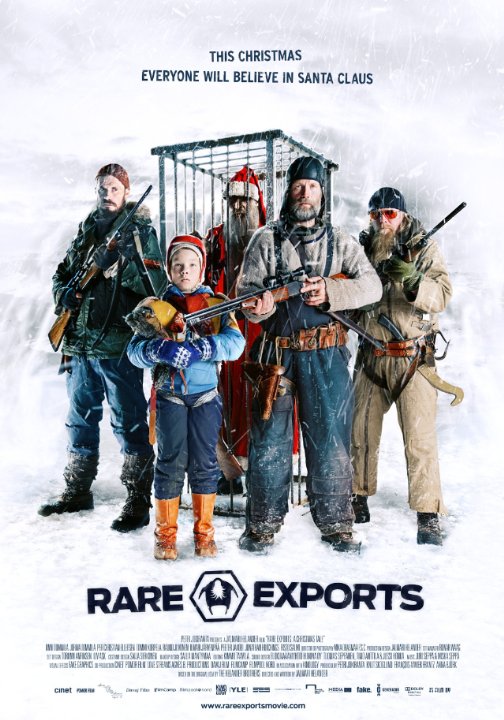
    rareexports

    Rare Exports is a Finnish movie that takes the wholesome image of Santa Claus and makes him perhaps a bit more demon than saint. When a scientist orders the excavation of a nearby mountain, the local reindeer herders find their Christmas harvest disrupted. But when the reindeer end up slaughtered and the local children start disappearing, then a small band of herders and one of their sons realizes perhaps there is something more going on.

    This movie is just plain fun. It’s in Finnish with English subtitles, at least on Netflix. It’s possible, even probable that there is an English dubbed version on the DVD, but since I caught it on Netflix I can’t guarantee it.

    What makes this film work for me is that you never quite know what to expect next. The herders eventually catch a strange and withered being that looks like a naked, wild-eyed Santa Claus after a couple of years on meth. And when you begin to think that maybe you have a handle on who this mysterious mute being is, it turns out you’re horribly horribly wrong.

    There are some moments in the movie that don’t necessarily work as well as the creators intended. When the herders end up at the base camp for the scientific team, trying to make some money by selling off their new-found “animal”, there is a sudden violence that caught me off guard. The heroics at the end are edge over into melodrama and border on downright corny. And the final sequence after the climax of the film stretches the credibly of the entire story.

    But who cares? Some of the visuals in this movie are spectacular, the tension is top notch, and it’s easily the most original take on the Santa myth I’ve seen or read about I years, maybe even ever.

    Do yourself a favor: sit down and watch this one. Only, not with the kids.

  • How Was Your Weekend?

    December 9th, 2013

    My weekend was busy. In fairness, with two kids and the associated kid activities, my weekends are always busy. But when you throw the holidays into the mix, things get downright crazy.

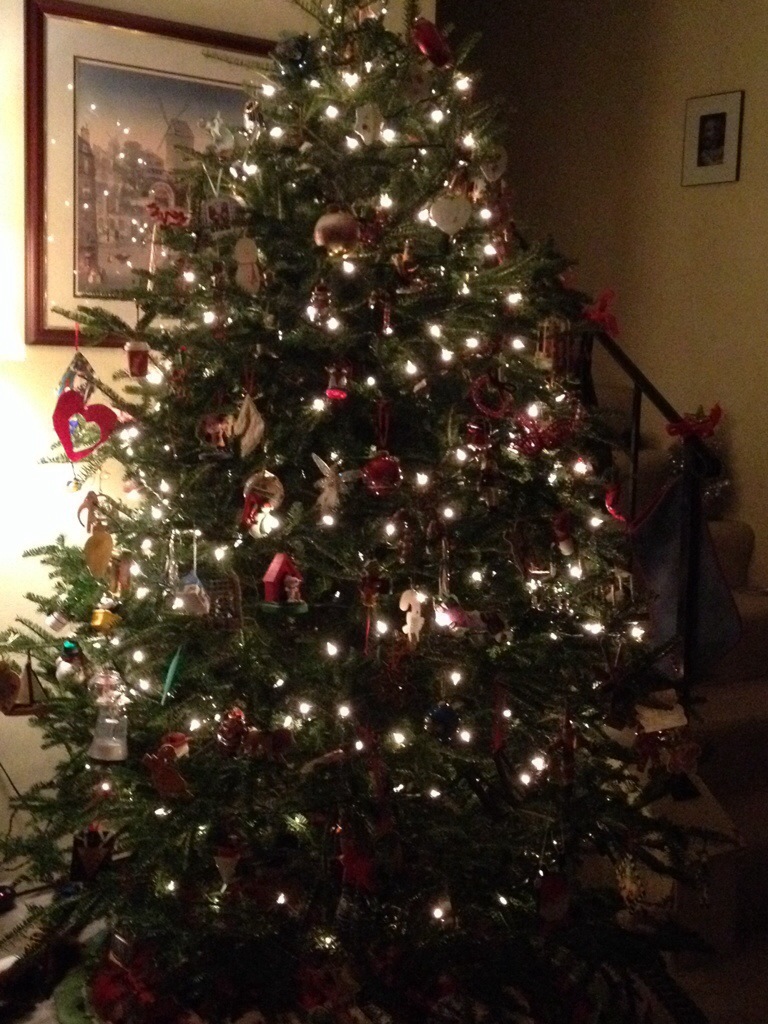
    But, despite having little to no time to sit down and just take a deep breath, the weekend was pretty good. We got the tree up this weekend and started putting up some decorations. My younger daughter was so desperate to get the tree decorated that she started plowing into the box of decorations before I could finish separating them out. And separated they needed to be. One pile for one girl, one pile for the other, then the collective pile that was fair game for both, and lastly, the heavy and fragile stuff that only the mommy and daddy were allowed to touch. That mostly worked…

    Still, no ornaments were hurt in the making of this tree.

    20131209-214856.jpg

    Bonus for me, I got in a really good run on Sunday, which was sorely needed. I was a very grumpy man on Sunday, mainly because there was so much going on and I had control of maybe ten percent of it. When I feel like things are a little out of my reach, i.e. kids yelling at each other, daughter number two digging through fragile ornaments, watching the clock to see if I’d actually have time for a run before starting dinner–it was just a little bit of everything closing in.

    So I put on my (new) running shoes and out the door I went. As I was leaving, the girls decided to put in Shrek The Halls. I think perhaps in was in my honor…

    And then I ran. Five miles, nice easy pace, and just absorbing the stark beauty of the waning day. The storm that was beating the crap out of the mid-Atlantic was headed our way, and the sky was clouding over nicely. I actually stopped and took some pictures of the sky that didn’t turn out sucky.

    20131209-214920.jpg

    20131209-214930.jpg

    So passes another weekend in a blur of motion as we rocket toward Christmas. I’m actually looking forward to Christmas this year, because it means a ten day vacation for me. I’m hoping that will translate to some rest.

    Hope springs eternal.

  • When To Use Quotation Marks In Fiction

    December 8th, 2013

    Of all of the punctuation available to writers in fiction, there’s really only one I’m on the fence about.

    Quotation marks.

    That’s pretty much it.

    I like the period, question mark, comma (in moderation), and a limited use of the exclamation mark. I like the apostrophe, I dig both the possessive and a really good contraction.

    There are a couple I’m ambivalent about, primarily because I almost never find a use for them. These are things like the colon and the semi-colon. They’re nifty looking, and I have absolutely no idea when it’s proper to use them. Perhaps I should qualify that: I have no idea when to use them in fiction. In non-fiction (I do a decent amount of technical writing at work) I use them quite a bit.

    (See what I did there?)

    Some punctuation, like the parenthesis, I love because it totally captures how my mind works. My inner monologue has a lot of asides and side-hand comments and tangents.

    But quotation marks? Well, that’s a tough one.

    When I first started writing fiction, there was the standard use of the quotation mark. Somebody said something, I marked it off by with quotation mark. Pretty standard American stuff. I found that using the apostrophe to indicate dialogue threw me off when I read it. Cannot tell a lie, it’s among the reasons it took me a couple of attempts to get through The Lord of the Rings.

    I never really took to the Irish way of indicating dialogue, with a dash. I’ve never researched it, can’t tell you where that started or why they do it that way, but Irish writers have a tendency to indicate the beginning of dialogue with a dash and then the dialogue happens, and then somewhere it just sort of ends. I’ve never seen it outside an Irish writer, but I’m not terribly well read despite my English lit degree, so maybe it exists elsewhere.

    What does strike me, though, is no use of quotation marks. The first time I encountered it was when I read The English Patient, by Michael Ondaatje. I found it incredibly hard to follow and I feel it made my enjoyment of the book suffer. (I didn’t enjoy the book anyway, but that’s a different issue.) Then next time I encountered this was in The Road, by Cormac McCarthy. Holy mother of god, what a book. The lack of quotation marks made such an impression on me, the way the stark visual of the page reflected the stark bleakness of the story. I was hooked.

    Which then brings me to my conundrum: to use quotation marks or not to use quotation marks?

    When I wrote How It Ends, I wrote in a standard way, using quotes and commas and periods and the like. I read The Road while editing How It Ends and it changed the way I approached my fiction. That’s a whole separate topic, but I don’t want to digress too much. While editing, I ended up stripping out a huge amount of punctuation. This led me to rewrite portions of the book in a different way, since the punctuation that might normally have guided a reader through the book was suddenly gone. It’s like hiking on a trail through the woods and having the blazes removed. You better make sure that trail is in good order and easy to find and follow, or you’ll be sending out rescue crews to find lost hikers.

    Eventually I put the punctuation back, but the removal of the punctuation altered the course and flow of the book, hopefully (and I feel) for the better.

    So do I like the use of quotation marks in fiction? Or do I dislike them?

    For me, the answer is: both. If the story is the right kind of story in which to have the quotation marks removed, then by all means, get ’em outa there. I have a story like that that I may one day polish and publish. (Maybe. It’s a really dark one.) But unless the story is the right kind of story, and the prose you write is strong enough to stand up without crutches, then I think you’re safest using quotation marks to indicate your dialogue.

  • The Maffetone Method – 2 Months In

    December 6th, 2013

    I’m a little late with this one, and I’m sure everyone’s been waiting with bated breath to see how my second month of using the Maffetone Method for running has gone. So without further ado, I present…month 2.

    Okay, kidding aside, I can sum up month two in a single word: frustration.

    I’ve been tracking all of my runs, and the various bits and pieces of data associated with each. This includes things like pace, heart rates, mileage, etc. And what I have found is that the pace, while it improved dramatically in one month from where I started (back in September), it has declined almost as dramatically in the second month.

    What to make of that? A couple things, actually.

    The first, and probably biggest one, is that I shouldn’t get caught up in the data. This probably sounds counterintuitive given the fact that I’m collecting all this data just to analyze my performance. But one of the biggest dangers is that, by tracking this over every single run, I’ll get caught up in it and forget to step back and see the big picture. Maffetone actually warns of this in his book. It’s the same as a person trying to lose weight and getting on the scale every day and being disheartened at the up and down fluctuations. Yes, day over day, your weight might yo-yo, but don’t forget that over a six month period (for example), you’ve lost twenty pounds.

    The second this is the number of runs. In October I found time to run eleven times, for a total of 36 miles. In a month of 31 days, that’s one run every 2.8 days. In November, I only ran six times, totaling 25 miles, and averaging one run every 5 days. My focus hasn’t been as sharp for running in November, and it’s been cold and dark in the morning and the evening, and let’s be honest—running in the cold and dark sucks. But with only half the number of runs in the same (roughly) 30 day time frame, why would I even begin to expect improvement?

    Third thing is shoes. My old shoes were, well, old. And my feet have been hurting. Read about that here. It’s been much harder to get out and run and actually enjoy it when you know that an hour after running you’ll be limping. So I have a new pair of shoes. I’m giving them a good solid test this month and hopefully that will get me out and moving again more often.

    The last thing I guess I’d pull out from all this is that I actually don’t know if this method and my progress using this method has helped. And I won’t know until I race. I’ve never raced before, I’ve just wanted to get out and run. But as I grew stronger this summer, I felt that maybe I did want to start racing. At the very least, I wanted to see how fast I could get. Problem with following a method for training is that I have exactly zero baseline on which to base my progress. What I can say is that, before switching over to the Maffetone Method, I could run six miles at an 8:40 pace. When I finally jump into a race, I’ll be able to tell whether that 8:40 pace is lower or higher. Then I think I’ll have a better understanding for how I’m progressing.

    So that’s the summation of month two. Below you’ll find some stats and my running chart for September, October, and November. You know, in case you truly that interested.

    running month 2

    maffetone_pace_month2

  • Places To Send Your Sci-Fi Novel

    December 5th, 2013

    penguin daw

    Did you know that you can actually get into a relationship with one of the big publishers, Penguin, without an agent?

    It’s true. I swear.

    Know how? DAW. That’s how.

    What’s DAW? They’re a book publisher. Started back in the 70s by Donald A. Wollheim (get it? D.A.W.? DAW?) and his wife Elsie, they were devoted exclusively to science fiction and fantasy. And they’ve published some serious science fiction talent. Names like Tad Williams, C. J. Cherryh, and Mercedes Lackey.

    They’re still a private company. They’re headquartered at Penguin, and have a distribution partnership with Penguin, but still private. I’m not sure how that all works, but I don’t have to. And neither do you!

    DAW has been accepting unagented submissions for years. I first stumbled on this over a decade ago. At the time, I didn’t have anything to submit to them. But I tucked away the knowledge that they didn’t require an agent for when I did have something ready.

    So if you have somthing ready to go and you’re banging your head against the wall looking for an agent, why not go right to the source?

  • Excel Geeking: Using VBA With Configuration Files

    December 3rd, 2013

    Nothing like a good old fashioned configuration file to make you feel like you’re programming in 1995. But you know what? Sometimes you just need to do it. And it still amazes me how many off-the-shelf applications still rely on INI files to store their settings (I’m looking at you, LotusNotes!).

    Personally, I like INI files. I find them easy to work with and easy to deploy. And, of course, it doesn’t hurt that you can read and write to them using VBA.

    If you Google reading or writing to INI files using VBA, you’ll get a bunch of different results, all pointing you in the same basic direction. Specifically, you need to use two different Windows APIs in order to do this “GetPrivateProfileString”, and “WritePrivateProfileString”. One reads from an INI file, the other writes to it. I’m going to assume you can figure out which is which.

    Invariably, the examples you uncover on Google show that these routines are always separate. One routine fo reading, one for writing.

    I hate that.

    I like my code as concise as possible while still being as modular as possible. What do I mean by that? I mean that I want a routine (or function in this case) that I can call from another point in the code and choose whether I’m reading or writing to the configuration file. And I want the routine portable enough so I can drop it into any application I want and not have to worry about customizing it too terribly much.

    And so, I give you the code below, commented for your pleasure:

    
    '*******************************************************************************
    ' Declaration for Reading and Wrting to an INI file.
    '*******************************************************************************
    
    '++++++++++++++++++++++++++++++++++++++++++++++++++++
    ' API Functions for Reading and Writing to INI File
    '++++++++++++++++++++++++++++++++++++++++++++++++++++
    
    ' Declare for reading INI files.
    Private Declare Function GetPrivateProfileString Lib "kernel32" _
        Alias "GetPrivateProfileStringA" (ByVal lpApplicationName As String, _
                                          ByVal lpKeyName As Any, _
                                          ByVal lpDefault As String, _
                                          ByVal lpReturnedString As String, _
                                          ByVal nSize As Long, _
                                          ByVal lpFileName As String)As Long
                                          
    ' Declare for writing INI files.
    Private Declare Function WritePrivateProfileString Lib "kernel32" _
        Alias "WritePrivateProfileStringA" (ByVal lpApplicationName As String, _
                                            ByVal lpKeyName As Any, _
                                            ByVal lpString As Any, _
                                            ByVal lpFileName As String)As Long
    
    
    '++++++++++++++++++++++++++++++++++++++++++++++++++++
    ' Enumeration for sManageSectionEntry funtion
    '++++++++++++++++++++++++++++++++++++++++++++++++++++
    
    Enum iniAction
        iniRead = 1
        iniWrite = 2
    End Enum
    '*******************************************************************************
    ' End INI file declaratin Section.
    '*******************************************************************************
    
    Function sManageSectionEntry(inAction As iniAction, _
                                 sSection As String, _
                                 sKey As String, _
                                 sIniFile As String, _
                                 Optional sValue As String)As String
    '*******************************************************************************
    ' Description:  This reads an INI file section/key combination and
    '               returns the read value as a string.
    '
    ' Author:       Scott Lyerly
    ' Contact:      scott.c.lyerly@gmail.com
    '
    ' Notes:        Requires "Private Declare Function GetPrivateProfileString" and
    '               "WritePrivateProfileString" to be added in the declarations
    '               at the top of the module.
    '
    ' Name:                 Date:           Init:   Modification:
    ' sManageSectionEntry   26-Nov-2013     SCL     Original development
    '
    ' Arguments:    inAction    The action to take in teh funciton, reading or writing to
    '                           to the INI file. Uses the enumeration iniAction in the
    '                           declarations section.
    '               sSection    The seciton of the INI file to search
    '               sKey        The key of the INI from which to retrieve a value
    '               sIniFile    The name and directory location of the INI file
    '               sValue      The value to be written to the INI file (if writing - optional)
    '
    ' Returns:      string      The return string is one of three things:
    '                           1) The value being sought from the INI file.
    '                           2) The value being written to the INI file (should match
    '                              the sValue parameter).
    '                           3) The word "Error". This can be changed to whatever makes
    '                              the most sense to the programmer using it.
    '*******************************************************************************
    
    On Error GoTo Err_ManageSectionEntry
    
        ' Variable declarations.
        Dim sRetBuf         As String
    Dim iLenBuf         As Integer
    Dim sFileName       As String
    Dim sReturnValue    As String
    Dim lRetVal         As Long
        
        ' Based on the inAction parameter, take action.
        If inAction = iniRead Then  ' If reading from the INI file.
    
            ' Set the return buffer to by 256 spaces. This should be enough to
            ' hold the value being returned from the INI file, but if not,
            ' increase the value.
            sRetBuf = Space(256)
    
            ' Get the size of the return buffer.
            iLenBuf = Len(sRetBuf)
    
            ' Read the INI Section/Key value into the return variable.
            sReturnValue = GetPrivateProfileString(sSection, _
                                                   sKey, _
                                                   "", _
                                                   sRetBuf, _
                                                   iLenBuf, _
                                                   sIniFile)
    
            ' Trim the excess garbage that comes through with the variable.
            sReturnValue = Trim(Left(sRetBuf, sReturnValue))
    
            ' If we get a value returned, pass it back as the argument.
            ' Else pass "False".
            If Len(sReturnValue) > 0 Then
                sManageSectionEntry = sReturnValue
            Else
                sManageSectionEntry = "Error"
            End If
    ElseIf inAction = iniWrite Then ' If writing to the INI file.
    
            ' Check to see if a value was passed in the sValue parameter.
            If Len(sValue) = 0 Then
                sManageSectionEntry = "Error"
    
            Else
                
                ' Write to the INI file and capture the value returned
                ' in the API function.
                lRetVal = WritePrivateProfileString(sSection, _
                                                   sKey, _
                                                   sValue, _
                                                   sIniFile)
    
                ' Check to see if we had an error wrting to the INI file.
                If lRetVal = 0 Then sManageSectionEntry = "Error"
    
            End If
    End If
        
    Exit_Clean:
        Exit Function
        
    Err_ManageSectionEntry:
        MsgBox Err.Number & ": " & Err.Description
        Resume Exit_Clean
    
    End Function
    

    Some thoughts on what’s going on here:

    I’ve taken the two APIs that you would call to read and write to a configuration file and put them into a single function. I’m choosing which action to take based on the inbound inAction parameter.

    That parameter, inAction, you may have noticed is an enumeration set up at the top of this module. I like the enumeration in this case because it lets me be very specific in my choice of action to take with regard to the INI file. Yes, I could have saved four lines of code by using a boolean instead. I could have set the function to “read” if TRUE and “write” if FALSE. Except I hate that option. I like enumerations for explicitly spelling out what my options are for value for a specific parameter. That way there’s no confusion.

    So what does the implementation of this function look like? Glad you asked! I’ve included a sample routine below that you easily use to test this function out.

    
    Sub SampleINIFunctionImplementaion()
    
        Const sINI_FILE As String = "C:\Users\scott\Desktop\fruits & veggies.ini"
    
        Dim sReturn As String
    
        ' Read the ini file
        sReturn = sManageSectionEntry(iniRead, "Produce", "Fruit", sINI_FILE)
        MsgBox sReturn
        sReturn = sManageSectionEntry(iniRead, "Produce", "Vegetable", sINI_FILE)
        MsgBox sReturn
    
        ' Write to the ini file
        sReturn = sManageSectionEntry(iniWrite, "Produce", "Fruit", sINI_FILE, "banana")
        sReturn = sManageSectionEntry(iniWrite, "Produce", "Vegetable", sINI_FILE, "squash")
    
     End Sub
    

    That’s about it. Feel free to copy and paste and use for your own Excel applications.

    (Fine print: use at your own risk, blah blah blah…)

  • Blame Hugh Howey

    December 2nd, 2013

    I’ve got two parts of my novel How It Ends up and published on Amazon, here and here. Part three will be coming out in the early part of January.

    You might be wondering why I’m serializing it rather than just releasing it in a single volume.

    Well, even if you’re not wondering, I’m gonna tell you why. (This is your opportunity to click out of this page.)

    The reason is Hugh Howey. It’s his fault.

    If you’re a writer, and you’re self-publishing your material, and you haven’t heard of Hugh Howey, then you’ve been living (and writing) under a rock.

    Hugh Howey is the author of Wool, a science fiction, post-apocalyptic dystopia, that was has taken the publishing world by storm. If you want the full history of Wool, you can check out the Wall Street Journal article on it. The short version is that Mr. Howey published the first part of Wool as a short story in Amazon for $0.99. In the few months, it had sold 1,000 copies and readers were asking for a sequel.

    He’s now making seven figures and has a movie deal.

    Okay, so, I have no expectations about making seven figures. It took me a decade, but I finally broke out of the idea that I would write for money. If you’re writing for money rather than to tell a good story, you’re writing for the wrong reason.

    However, Hugh Howey’s story represents the holy grail of self-publishing. The idea that a lone writer, crafting fiction and self-publishing it, without agents, houses, or editors, suddenly having such huge success–well, that’s a pretty enticing dream.

    And it might just be a dream. Then again, it might not.

    So I’ve decided to take a page out of the Hugh Howey handbook. I’m serializing my novel in four parts, keeping the price point down for each piece, with a final omnibus version to be published when the whole thing is complete.

    How’s it going so far?

    I’m up to 5 copies sold. 995 copies to go.

  • My Foot Hurts

    November 30th, 2013

    And I’m very unhappy about.

    I went out for a run on Friday, trying to run off the seventy pounds of turkey, stuffing, potatoes, etc. that I mainlined on Thanksgiving. It was a good run, six miles, which ended up being one mile more than I had initially planned. Once I was out there, I realized I would let the road just sort of lead me, which is exactly what it did.

    First time I’d run six miles on a few months. Around the beginning of September my knee started to bother me, and then my heel, then my whole foot. I did some reading and was starting to panic that I was developing the dreaded plantar facisitis. Which is exactly the time I discovered the Maffetone Method.

    I’ve been trying the Maffetone Method for about two and a half months. I’ve got another update coming in a few days about how it went in month two. But for now, I’ll simply say that I went for a nice slow aerobic base building run.

    Until yesterday all of my runs have been three miles, with a few at five. This was the first time I’d run six. And when I came back in, I felt great. Legs were good, I felt like I could’ve run another six.

    An hour later, my foot hurt so badly I was limping.

    Dammit.

    I’ve been reading Born To Run. Riveting. I’m completely digging this book. And it makes a good case for barefoot running. Now, I’m not crazy enough to go completely barefoot. Not yet, anyway. Especially not heading into a New England winter. Aside from potential stress fractures, I’m not big into frostbite. So I’ve decided I’ve got to try a minimalist shoe. Because my foot shouldn’t hurt like this.

    So I’ve ordered this little beauty.

    20131130-083438.jpg

    This shoe should be in by Wednesday, which means trying it out in the cold dark of Thursday morning.

←Previous Page
1 … 35 36 37 38 39 … 42
Next Page→

Create a website or blog at WordPress.com

Loading Comments...

    • Subscribe Subscribed
      • Scott Lyerly
      • Join 200 other subscribers
      • Already have a WordPress.com account? Log in now.
      • Scott Lyerly
      • Subscribe Subscribed
      • Sign up
      • Log in
      • Report this content
      • View site in Reader
      • Manage subscriptions
      • Collapse this bar