SCOTT LYERLY

  • Home
  • About
    • Contact
    • Bio
    • My Tourette Syndrome Story
  • Books
    • The Last Line
    • Anthologies
  • Other Writing
    • Short Fiction & Essays
    • Blog
  • Upcoming Events
  • Etcetera
    • Newsletter Sign-up
    • Privacy Policy
  • Facebook
  • Instagram
  • Threads
  • TikTok
  • Bluesky
  • Social Media Ads: File Under “Huh?”

    November 25th, 2013

    This popped up in my Facebook feed the other day:

    20131125-141513.jpg

    Admittedly, I watch “The Walking Dead”. I used to enjoy it more than I do now, but that’s a different post for a different time. But the real question is, how does Facebook know I like/watch “The Walking Dead”?

    There is an interesting and quick breakdown of how Facebook ads work, and a bit of how and why they show up in your timeline at Social Ads Tool. And, yes, in the past, I have Liked things related to “The Walking Dead”.

    But “The Walking Dead” in German? That perplexes me a bit.

    Perhaps Facebook has only so many “The Walking Dead” pages for me to Like, therefore it’s presenting all of them. Perhaps Facebook somehow knows that I follow NeinQuarterly on Twitter, and that I have retweeted and favorited several of NeinQuarterly’s tweets. (Side note: NeinQuarterly is a twitter account posting things that have a specifc German humor to them, which I find hilarious and to which my wife went “Oh, that explains so many things” when I told her about it.)

    Or perhaps, and the scariest thought of all, Facebook knows of my secret German past, in which I took German in college, four semesters of it, four straight Ds. Yet I was determined to learn it so that I could understand what the hell Hans Gruber, et al, were saying in “Die Hard”. Oh yeah, that’s not a joke. That’s the reason I took German.

    No matter the reason, it vaguely creeps me out that I’m being stalking by a German “The Walking Dead” Facebook page.

  • “Billy”: A Short Story

    November 22nd, 2013

    This is a story I wrote back in 2006 and that was published online by a webzine called Dark Fire Fiction. The goal I was trying to achieve was to completely creepy the reader out in under 1000 words. I don’t know if I succeeded in creeping out any readers, but I certainly creeped out myself.

    I hope you enjoy it and are as creeped out reading it as I was writing it.


    Billy

    By Scott Lyerly

    © 2006

    The old house gently sloped up the hill away from the road. Full, blossoming pear trees lined the driveway like benevolent centurions keeping guard. The prospective couple tried vainly to hide smiles of anticipation as the real estate agent showed them the property, with the aging oak floorboards squeaking underfoot. The historic colonial was exactly what they had been hoping to find.

    Moving day went well, save the minor scratches on a dresser and a single broken teacup. The moving company worked quickly and efficiently, loading and unloading everything with half a day’s time. The happy new homeowners understood perfectly and did everything they could to help, which meant staying out of the way.

    As the new family began to settle in, they noticed a few odd things that had not come up during the pre-purchase inspection. At certain times during the day, a noticeable draft moved freely and quickly through the house, causing the chills even in the heat of the summer. Despite exhaustive searching, the father could not find the cause.

    Then little things began disappearing. A pair of scissors here. A teacup there. A shoe. One sock. Eyeglasses. Nuisances, really, and nothing more. But slowly and surely, the new family began to wonder if their house might be haunted.

    The youngest son was only five years old. A rambunctious child, he made it his mission to terrorize his older brothers and sisters by scaring them from dark closets, stealing their toys, or kicking at them from behind. He would pounce upon his unsuspecting victims, wreak havoc, then run away, his high-pitched giggles echoing through the house. He feared nothing.

    Early one morning, six months after the move, the father came shuffling down the hallway, destined for a cup of coffee, when he spotted his youngest son asleep in the hallway by the door to his bedroom. Surprised, but not really, he knelt down and shook his son gently.

    “What are you doing out here, kiddo?”

    The youngest son rubbed his sandy eyes.

    “Billy told me to sleep out here.”

    “Who?”

    “Billy.”

    The father looked at his son quizzically, assuming some kind of game or make-believe friend, and brushed it off.

    “Okay,” he said and continued toward the kitchen.

    The next morning, his slippers softly zipping along the wooden floor, he once again found his son sleeping by the doorway outside of his room. He stopped short, feeling the first pang of fear.

    Once again, the boy answered: “Billy.”

    “Who’s Billy?” asked the father, but the youngest son refused to say anything.

    After a third morning of finding his son asleep in the hallway, the father decided it was time to put an end to the issue. The boy had become quiet and mellow, much to the relief of his mother, but the father remained concerned. That night, he slept in the boy’s bedroom instead of the boy.

    In the morning, the mother, less graceful when sleepy, stumbled down the hallway using the walls for support. She yawned and stretched and stopped short when she saw her husband asleep in the hallway.

    He started awake at her touch and refused to discuss what had happened, except to say, “Billy told me to sleep in the hallway. It’s his room.”

    They stopped using the room that day.

    Many years later, when the father was old and gray and the youngest son was now a father twice, the family gathered together for a large reunion. The father approached eighty-five and the party had been planned for some time. The invitations mailed out to the neighborhood and most showed up with past memories or old pictures and tokens from bygone days.

    Historic photos of the town and the houses and families made their way through many hands, greasy from the hamburgers. People gathered around the pictures, impressed by how far the town had come and amused at the old-fashioned styles. The father was having a wonderful time until one particular picture fell into his hands.

    He cried out and the guests came running.

    With a shaky hand he gave the picture to the youngest son, who looked at it and went ashen.

    The picture revealed a family gathered together in front of the foundation of what would become their new house. It held all the accoutrements: stern-looking father; prim, proper looking mother; three children, the youngest of which was a boy. He wore an impish grin that seemed to grow wider, the teeth sharper as they stared at him.

    “Oh,” said a neighbor. “The O’Connell family. Suffered a terrible loss. Youngest boy died from polio, right here in this house. Tragic, really. Can’t remember his name, though.”

    “Billy,” the father whispered hoarsely, watching the eyes of the boy in the picture, as they grew narrow, making him look, with his wide mouth and sharp teeth, like an animal.


  • Excel Geeking: Backdoor Into Your Excel Files

    November 21st, 2013

    When I’m building a spreadsheet application, invariably I have to have a routine that initializes the application. Often times I have sheets I need to hide from the end user. These are usually sheets full of configuration settings or system tables, things like that. I might also have toolbars that call certain functions or routines. I might have password protection on some of the sheets. You get the idea.

    What I usually do is to add a small function that allows me to crack open the full workbook without having to go into the code itself to open everything up.

    I start by putting an empty file of some sort in the same directory location as the application workbook. I’ll call it something like “debug.ini” or “password.txt” or “backdoor.ini” or something similar. It can actually be anything really. The file won’t hold anything, it just needs to be present.

    debug_ini

    Once the file is in place, you can add the code below as a function in a module. If you’re following any of the practices from “Professional Excel Development” by Bullen, Bovey, and Green, then you’d probably stick this in a module called MSystemCode. But it’s totally up to you.

    Function bDebugMode() As Boolean
    ' Description: This checks the whether the application should be opened in debug mode.
    '
    ' Author: Scott Lyerly
    ' Contact: scott.c.lyerly@gmail.com
    '
    ' Name: Date: Init: Modification:
    ' bDebugMode 21-Nov-2013 SCL Original development
    '
    ' Arguments: None
    '
    ' Returns: Boolean TRUE = success, FALSE = failure
    '

    ' Review the length of the path and file name of the debug file using Dir.
    If Len(Dir(ThisWorkbook.Path & "\debug.ini")) = 0 Then
    ' The the lenght is zero (0), the file does not exist and
    ' we are not in debug mode.
    bDebugMode = False
    Else
    ' If the length is greater than zero (0), we are in debug mode.
    bDebugMode = True
    End If

    End Function

    I’ve got plenty of comments in the code, so I don’t think I need to break it down further here.

    Once this function is in place, add the code below to the Workbook_Open event so that it fires whenever the file is opened.

    Private Sub Workbook_Open()

    ' Check if the application is in debug mode.
    ' If it is not, initialize the application for the user.
    If Not bDebugMode Then
    InitializeApplication
    Else
    ' If we are in debug mode, open the file up and unprotect the Demand tab.
    OpenFileForDevelopment
    End If

    End Sub

    You can see that I have two branches this application can go down. One is to proceed as normal, with the application not opening in debug mode. I typically call the routine for that branch something like “InitializeApplication”. It’s where I store all the code I want to run before the user can use the file.

    The second branch might be called “OpenFileForDeveloment”. This is the branch to go down when I want to unhide everything, unprotect everything, and prevent user interface items like toolbars from being created.

    Using this practice, I can open the file in a user mode or a debug/development mode without touching a single line of code.

  • Weird Tales Is Opening Its Doors

    November 20th, 2013

    Ever wanted to appear in a magazine along side names like Peter S Beagle, Brian Lumley, or even possibly Stephen King?

    Well now is your chance!

    weirdtales

    Weird Tales is opening itself up to submissions this Friday (11/22/2013). And it looks like it might stay open for a while.

    A new submissions editor has taken the reigns and is looking for your weirdest short stories.

    And while they’ll consider any weird short story you’ve got, they have a couple of themes in mind:

    1. Tesla. Yeah, that’s right, the guy who invented the radio. (Okay, maybe not invented the radio, but had a strong part to play in the development of wireless transmission). Stories with him as a central character, or at least a focus.
    2. Ice. If it’s frozen, they want it. Whether it’s a Hoth-like planet or a Hoth-like meat locker.

    Check out the link for more info: http://weirdtalesmagazine.com/2013/11/19/opening-to-fiction-sub/

  • Sum Assemblee Rekwired

    November 19th, 2013

    My mom was up for a visit this past weekend. It was good to see her, and she always enjoys seeing the kids. We did an early Christmas gift exchange while she was here so that she could see the kids open their gifts. And of course, she may have brought an item or two up for the whole family.

    One of the things she brought was a solar powered snowman globe. It’s an outdoor decoration, the kind you stick on a pole in your garden, let the sun power it up, and it glows different colors at night.

    It’s a nice holiday decoration and the kids in particular love it. It changes color every two or three seconds or so.

    20131119-210659.jpg

    Confession time: what I loved most about it were the instructions. Cause I laughed. Out loud.

    As I started to read through them, I stated to notice an error or two. I thought, well, not terribly well proofread, but whatever. Except the errors didn’t stop. They kept coming. To the point where I had to get my red pen out and have some fun.

    For a one page sheet of instructions, I counted ten errors. I may have missed some. Below is a picture. Have a look and see if there was anything else I missed.

    20131119-200458.jpg

  • Versioning Your Ebooks

    November 18th, 2013

    While reading a Robert B Parker ebook last year, I noticed this in the front matter:

    20131118-204339.jpg

    “V3.0_r2”. To my systems eye, this means version 3, release 2.

    It struck me as a little odd to have a version/release number at first. But then I thought of it like a printing history rather than something more traditionally associated with version history. Something like software perhaps. Or Star Wars movies.

    (I got a whole post somewhere in my head about how Lucas didn’t treat his movies like movies, but more like software releases. Maybe someday it will get out of my head and onto the page.)

    I’m not sure yet that adding version numbering to your ebooks matters. For example, if I learned that this particular book was now in release 3, or version 4, what would I do with that info? Would I email or call the publisher, angrily demanding the latest version?

    Probably not.

    So what does this mean to you (or at least, to me) as a self-publisher? I think for now it means take it or leave it. In my books, I chose to add it. Again, not sure what I’ll do with it. I suppose if I decided that there was some major textual screw-up that needed fixing, I might increment the version and off those who purchased the faulty previous version an upgrade.

    Except, how would I confirm their purchase?

    Plus, of you’re putting out a new revision of a self-published ebook, Amazon lets you label something as edition 1 or edition 2. It’s right there in the “wizard” Amazon uses to guide you through the publishing process.

    Like I said above, I can’t see how this matters to anyone but the person putting the ebook together. In my case, that’s me. So at least I’ll always know which version I’ve released online.

  • How Was Your Weekend?

    November 17th, 2013

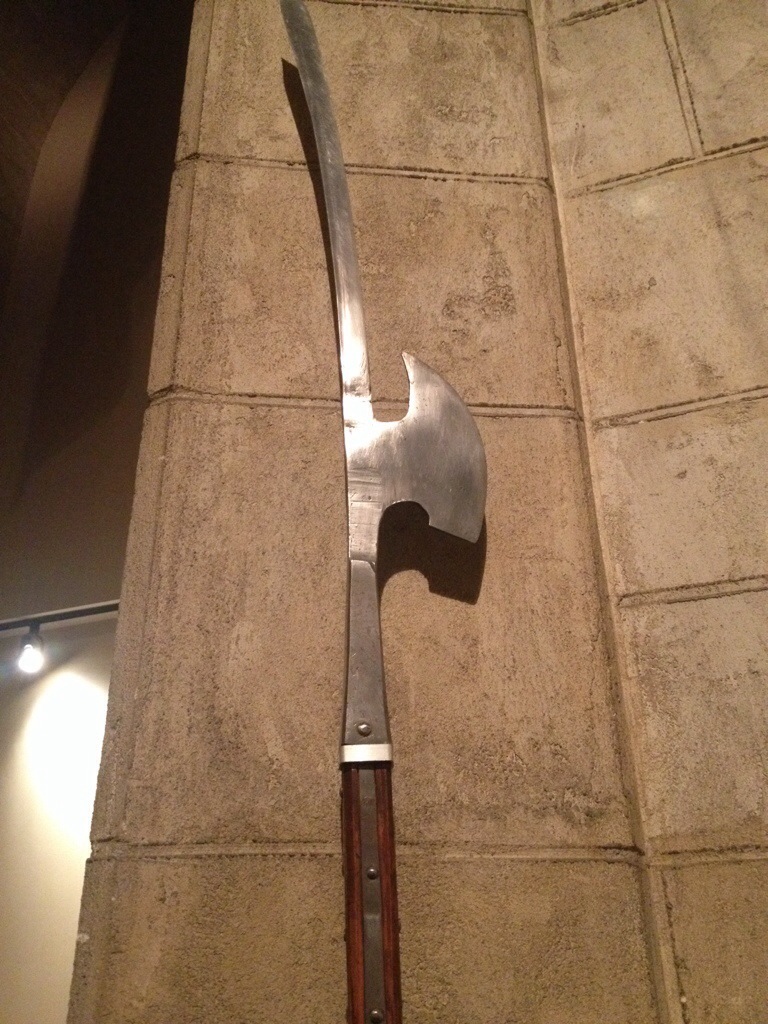
    I finally went to see the Higgins Armory this weekend. I’ve only lived in central Mass for fifteen years now. Figure I might as well go see the famous Higgins Armory.

    You know. Before it closes.

    Yes, that’s right, The Higgins Armory is closing down. At the end of this year, the doors close. Literally, December 31, 2013 is the last day the armory will be open.

    The decision to close was a tough one, but a 2,000 piece collection spanning 4,000 years can only live in a building made of glass and steel for so long. The building it seems is the primary reason for the closure. The operating expense has become to great for the endowment.

    Most of the pieces will end of at the Worcester Art Museum, which is a mixed blessing. Mixed in that it’s great that the Higgins collection will remain a) largely intact, and b) in the central Massachusetts area where it was originally collected. Mixed in that it sucks the armory has to close in the first place.

    So I finally got off my rear and went to see the Higgins Armory with the fam and some visiting family. I highly recommend it. It’s a lot of fun to wander through the building and see the incredible assortment of weapons and gear.

    But hurry. I’ve got about six more weeks.

    Below are some pictures from the today’s visit. Enjoy.

    20131117-173906.jpg

    20131117-173924.jpg

    20131117-173936.jpg

    20131117-174004.jpg

    20131117-174257.jpg

    20131117-174309.jpg

    20131117-174327.jpg

  • Review: “The Wolf Gift” by Anne Rice

    November 15th, 2013

    It was suggested recently that I offer a review of Anne Rice’s “The Wolf Gift”, even though I have not finished the book. I was on the fence about this, because I’m not sure it’s possible to fairly judge a book without having finished it all the way through.

    However, the fact that I wasn’t even able to finish it is perhaps review enough.

    That said, I’ll offer the following comments regarding the book, as far as I have made:

    If you are looking for a werewolf book that follows a traditional werewolf mythology, this ain’t it. In this book, the werewolf(ves) in question can change at will rather than being tied to the lunar cycle. This “gift”, while beyond the “victim’s” control at first, can be mastered, hence changing at will. And it comes with other interesting attributes, such as the ability to sense evil, almost as a smell, and the desire to play the furry fanged superhero to a city of murderers and tormentors. There is something to the idea of watching those who are due get their comeuppance, even if it involves tearing off of limbs and the disgorgement of viscera. But the great analogy of werewolf fiction, the inability to control aspects of oneself, is lost in this book. The straining dichotomy of being both good and evil at the same time is a primary driver of werewolf lore, and it makes for compelling reading in other fiction. Here the werewolf is incidental. If not a werewolf, the main character, a good Catholic boy with the improbable name of Rueben Golding, could just as easily be some other beast battling the forces of darkness. If not for the fur, he could be Batman.

    The characterizations are implausible. Am I to truly believe that a woman with a deceased family backstory easily and without reservation falls into bed with a werewolf? Oh yes, that’s not a mistype. Her first encounter with our hero is a sexual one and it is with the hero of our story when he is in full werewolf form. There’s an undercurrent of romance to the novel that might be excused by Rice’s previous forays into erotica (see her Sleeping Beauty series), but this descends comically to the level of bestiality that is at once laughable and unbelievable.

    An unbelievable story, however, may be saved by excellent writing. And that is sadly lacking here. In his book “On Writing”, Stephen King describes some writers as having a “tin ear” towards dialog. Rice is apparently hard of dialog hearing, as the characters come off antiquated and stilted. Take the following example, as the protagonist is conversing with himself, and, ostensibly the wolf lurking beneath:

    “Oh, but you knew, didn’t you? Didn’t you know this was inside of you, bursting to come out? You knew!”

    My guess is that Rice is trying to infuse a gothic sensibility into a modern-day story, but the results are flat. The proliferation of exclamation points within the dialog, and really throughout the entirety of the prose, underscores the crudely drawn characterizations. I suppose exclamation points are a matter of personal preference. I don’t mind the odd ! now and again, but the constant inclusion of them makes the characters seem melodramatic to the point of absurdity, and the result is that we feel very little, yay or nay, regarding their perils, lives or deaths.

    But I hate to think that the book has no redeeming qualities whatsoever. So I desperately sought something to latch onto that would carry me through to the end. The best I could come up with is that, at least to the point where I stopped reading, there were no sparkling vampires. Alas, this was not enough to compel me to finish the novel.

    In the end, I cannot recommend this book to anyone. But beauty is in the eye of the beholder, and for someone looking for a werewolf-superhero-romance mash-up, this book might just be the right cup of lunacy.

  • Excel Geeking: Changing a Query Parameter in Access from Excel

    November 13th, 2013

    If you read the “About Me” page, then you’ll see that the first thing I say is that I’m an Excel guru. And I am. It’s what I do for a living where I work (among other things).

    But till now, I haven’t logged any Excel or VBA related posts. Not a one.

    Let’s change that!

    Fair warning, this one is going to be geeky. Now’s your chance to bail.

    Still there?

    Okay, let’s go then!

    I do a lot of “Excel as a front end” work, where Excel is the user interface, and the data gets sent back to a database, usually Access, because it so prevalent.

    I ran into a situation where I needed to pass a parameter to a query in Access because that query was a perquisite of my running another query that had the first one as a dependency.

    Most of the time, when I’m connecting to Access from Excel, I use ADO. But in this case, I used DAO because it was simpler. Below is the resulting routine, in which I pass a string variable to the query prior to using that query elsewhere. Fully commented for your reading pleasure.

    Sub Pass_Parameter_To_Query(sWeek As String)
    ' This passes a parameter to the max of time qry in order to enable dynamic time period run of the report.
    '
    ' Inbound: sWeek = a string variable containing the week in question, in whatever format is required by the query.
    '
    ' NOTE: in order to run this, you'll need a reference to the Microsoft DAO X.X Object Library.

    ' Variables declarations.
    Dim sDBPath As String ' This is the path of the DB.
    Dim sDBName As String ' This is the name of the DB
    Dim accObj As Object ' This will be our Access object
    Dim dbs As DataBase ' This is the database object we'll use (requires the reference)
    Dim qryDef As QueryDef ' This is the query definition we'll use (requires the reference)
    Dim sSQL As String ' This is our SQL string.
    Dim sQueryName As String ' This is our query name.

    ' We'll start out by setting the string variables.

    ' The DB path and name are actually global constants I use elsewhere, so I don't set them specifically here.
    sDBPath = msDATABASE_PATH
    sDBName = msDATABASE_NAME
    ' This is the name of the query we'll be changing.
    sQueryName = "qryTimeMaxes"
    ' This is out SQL statement: the dynamic part that will be fed from a user form is the Week field.
    sSQL = "SELECT Max(MonRptData.Year) AS MaxOfYear, Max(MonRptData.[Fiscal Season]) AS [MaxOfFiscal Season], Max(MonRptData.[Fiscal Quarter]) AS [MaxOfFiscal Quarter], Max(MonRptData.Month) AS MaxOfMonth, MonRptData.Week " _
    & "FROM MonRptData " _
    & "GROUP BY MonRptData.Week " _
    & "HAVING (((MonRptData.Week)=" & sWeek & "));"

    ' Now we'll play with our objects (nothing dirty!)

    ' First we set the access object. The access object isn't really an access object at all, just a plain old ordinary object that we make into an access object using the "Access.Application" string.
    Set accObj = CreateObject("Access.Application")

    ' Then we open the object, using an access object model method, OpenCurrentDatabase, the the DB set by our path and DB name strings.
    accObj.OpenCurrentDatabase sDBPath & sDBName, False

    ' Next we'll set the database variable to the database we've just opened.
    ' Note that, because we didn't make our DB visible when we opened it, you can't see it, but it's open nevertheless.
    Set dbs = accObj.CurrentDb

    ' Now we'll get into the query itself.

    ' First we delete the old one...
    dbs.QueryDefs.Delete sQueryName

    ' ... then we recreate it with our new SQL string
    Set qryDef = dbs.CreateQueryDef(sQueryName, sSQL)

    ' That's it. The only left if to clean up. We'll close the database...
    dbs.Close

    ' ...then destroy our objects to free up all the juicy memory they take up.
    Set qryDef = Nothing
    Set dbs = Nothing
    Set accObj = Nothing

    End Sub

    If you followed that all the way through, then you’ll probably realize that I didn’t technically pass the parameter to the query in question. What I actually did was delete the query, then recreate it with the new parameter. This gives you the same result as setting the query parameter if you were actually in the Access database.

    That’s it. Hope somebody out there finds it useful.

  • My Types of Writing

    November 12th, 2013

    I’ve been on a writing jag recently. Moreso than I can ever remember. I’m writing everyday, writing all different types of stuff. I’m writing fiction, I’m writing blog entries, I’m journaling. I’m becoming nearly obessive about it. If I don’t get something down on paper (actual paper or virtual paper), I feel like I’ve lost a day.

    This is kind of a new experience for me. I’ve never been driven to write the way I am now. I can’t really say for sure from whence it came, but I’m glad it’s here. I’m actually gettin’ shit done.

    What follows is an explanation of the types of writing I’m currently doing and what each type means to me.

    Fiction

    Okay, we’ll start with the obvious. Fiction writing. Story-telling. That’s what it’s all about, that’s what I first started off doing, and that’s where I feel the “end game” is for me. The idea of telling a story that I have in my head is a thrilling and daunting concept that I have struggled mightily to execute.

    Because of both my cavalier attitude toward my own fiction writing and lack of force of will to keep writing when the writing gets tough, fiction tends to take me a VERY long time. My first book took six years to write and edit, start to finish. My second book, of which I finished just the first draft this year, took me three years. Three years for a first draft!

    While I let that second book simmer before I tackle the editing, I’m in the throes of my third book. This time, because of the push to write, I’m three months into this first draft, and eying a completion of the draft around the holidays.

    Blogging

    Blogging, at least this much of it, is kind of a new thing for me. I’ve done some blogging before, I’ve had two or three previous blogs that I had brief courtships with, and then abandoned.

    The primary issue I’ve had with blogging is that I don’t feel I’ve had anything interesting to say. This is an online platform, and as anybody who manages online content will tell you, you have to keep the content fresh. This then has been my number one problem with blogging. How do I keep the blog fresh with nothing to say?

    This time I’m saying whatever comes to mind. Well, within reason. In order to become a successful writer these days, it helps to have a successful online presence. At least, that’s my impression. To the end, I’ve chosen to write about whatever strikes me, just as long as I work on it every day.

    Following this process, I’ve discovered that I have lots to say, even if I’m the only one interested in what that is.

    Journaling

    This is the personal stuff. This is the stuff that I write for myself and only myself. This is the stuff I do longhand. This is the stuff that will never see the light of day.

    There’s a specific type of satisfaction of opening up my journal and seeing the pages that have already been filled out. There’s that immediate sense of “I did that” that is gratifying. And I know, someday when I’m gone, my family will get to read through these journals and gain a deeper understanding of who I was.

    Journaling is not easy or natural for me. I tend to get frustrated with longhand writing. It goes “too slow” for this member of the keyboard generation. Which is another good reason I do it. It teaches me patience.

    That’s it. There are other types, things I do for work. I write SOPs (standard operating procedures), instructions, user guides, programming code–the list goes on. But even though I’m writing for each of these, and it’s by no means a cakewalk to do so, I don’t consider it my writing. Maybe that’s beause I don’t own any of it at the end of the day. Maybe it’s because I have to instead of want to. Maybe it’s because some of it is truly soul-sucking. I mean, c’mon. No matter how much you like your job, and I do, a full day writing SOPs will make you want to scream by the end of it.

    But for the writing I enjoy, these are the three biggies for me.

←Previous Page
1 … 36 37 38 39 40 41
Next Page→

Create a website or blog at WordPress.com


Loading Comments...
 

    • Subscribe Subscribed
      • Scott Lyerly
      • Join 200 other subscribers
      • Already have a WordPress.com account? Log in now.
      • Scott Lyerly
      • Subscribe Subscribed
      • Sign up
      • Log in
      • Report this content
      • View site in Reader
      • Manage subscriptions
      • Collapse this bar